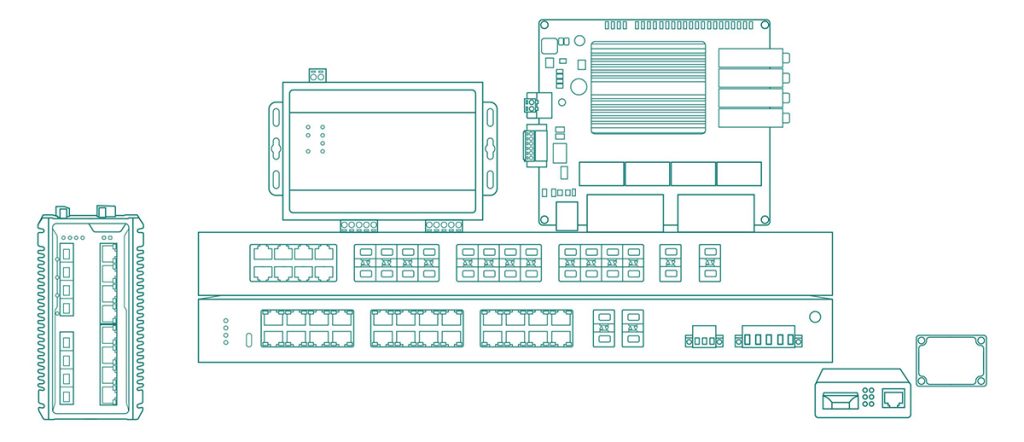
Explore our range of industrial serial device servers designed for seamless connectivity. Discover high-performance serial-to-IP Ethernet device servers that enhance your network’s efficiency.
2×RS485/422 Serial Port,1×100M Copper Port, Wall-Mount Serial Server with Modbus Functions
32×RS232/485/422 Ports,2×1G Combo Ports, Rack-Mount Serial Server with Modbus Function
16×RS485/422 Ports, 2×Gigabit Combo Ports, Rack Mount 1000M Serial Server
1×RS232/485/422 Serial Port, 1×100Mbps Ethernet Copper Port, Wall Mounted Wi-Fi Serial Device Server with Modbus Functions
1×RS232/485 Serial Port,1×100M Ethernet Copper Port, Industrial Serial Server with Modbus Function
4×RS232/485 Ports, 1×10/100Base-T(X) RJ45 Ports, Wall-Mount Serial Server & Modbus Gateway
8×RS232/RS485/RS422 Ports, 1×100M RJ45 Ethernet Port
4×RS485/422 Opto-Isolated Ports, 1×10/100Base-T(X) RJ45 Port
8×RS485/422 Ports, 2×10/100M Ethernet Ports, Rack Mount 100M Isolated Serial Server
2×RS232/422 Serial Port,1×10/100M Copper Port, DIN-Rail Serial Server with Modbus Functions
1×RS232/485/422 Opto-Isolated Port, 1×10/100Base-T(X) RJ45 Port
1*RS232/485/422 Serial Port to 1*100Mbps Ethernet Copper Port Ethernet Server
16xRS485/422 Ports, 2×100/1000M Combo Ports, 16-Port RS485/RS232 Serial to Ethernet Server
1×RS485/422 Port, 1×RS232 Port , 1×100M RJ45 Port, Wall-Mount Serial Server with Modbus Function
To find the right serial device server for your network, it’s essential to consider the specific requirements of your environment and the capabilities of the serial servers available. Maisvch offers Mport series of serial servers to meet different needs:
Mport31XX series: Serial server with one Ethernet port and XX serial ports (XX means the quantity of the serial ports, options with 01,02,04,08).
Mport32XX series: Serial server with two Ethernet ports and XX serial ports(XX means the quantity of the serial ports, options with 08,16,32).
The serial server support different signal type for the serial port, such as RS232, RS485 and RS422. Please get this information in the detail page of each model.
The serial server products support different installation method such as wall mounting, rack mounting and DIN-rail mounting.
| Installation method | Models |
| Wall mount | Mport3101, Mport3102, Mport3104, Mport3108 |
| Rack mount | Mport3208, Mport3216, Mport3232 |
| DIN-rail | Mport3101R, Mport3102R |
The model with suffix “I” means this model support the 3000VDC isolation function, which can achieve the optical isolation between the ethernet ports, serial ports and the power input, to reduce signal interference, block the peak voltage, protect the expensive external devices from lightning and surge. Example model: Mport3104-I.
The model with suffix “W” means this model support the Wi-Fi for the ethernet connection, which can achieve wireless ethernet networking. Example model: Mport3101-W.

With over 21 years in industrial communication, Maisvch understands industry challenges and requirements, ensuring our Serial Servers meet high performance and reliability standards.

Our Serial Servers operate from -40°C to 85°C, ideal for harsh environments like manufacturing plants and outdoor installations where temperature fluctuations are common.

Maisvch Serial Servers meet CE, FCC, and RoHS certifications, ensuring international standards for performance and environmental sustainability.

Designed with robust hardware and advanced engineering, our Serial Servers offer consistent performance, surge protection, and EMI immunity for uninterrupted connectivity.

Our experienced engineers provide installation, configuration, and troubleshooting support to ensure your project's success.

Our serial device servers come with a standard warranty with 1-year free exchange, 5-year repair, and lifetime maintenance for peace of mind and investment protection.
Industrial serial servers enable the integration of serial devices into Ethernet networks, allowing for centralized monitoring, control, and data collection. They provide benefits such as extended communication distances, reduced wiring complexity, and the ability to access serial devices remotely over the network.
Many industrial serial servers offer multiple serial ports, allowing users to connect several serial devices to a single unit. This helps consolidate connections and simplifies network management. Advanced models may support up to 32 or more serial ports, providing scalability for large-scale applications.
1. Ethernet connection mode: Connect serial devices to Ethernet through a serial server, simply connect the serial server to a hub or switch. By setting the IP address of the serial server, it can become a node on the Ethernet network.
2. LAN direct connection mode: Connect the computer’s Ethernet port directly to the Ethernet port of the serial server, making network routing simple and enabling easier data transmission.
Maisvch industrial serial server supports multiple network management functions for WEB configuration, such as serial/network working mode, DNS, network logs, serial port restart, system management, etc.You can connect the serial server to the PC or LAN switch,access the IP address of the serial server through a web browser on the PC, and then log in to the management interface of the serial server to configure it.
The serial server config program is using the UDP protocol, and it is generally possible that the firewall of antivirus software blocks UDP requests.
If the device cannot be found even after turning off antivirus software, it is possible that the built-in firewall of the WINDOWS system is blocking UDP requests. Please turn off the firewall or set access permissions on the relevant pages of the operating system network connection.
If the device still cannot be found after turn off all firewalls, it may be due to a conflict between the IP address set by the serial server and the IP address of the computer in the local area network, causing the device to not be found. It is also possible that the network administrator manages the LAN and does not allow unregistered IP addresses and MAC addresses to run within the LAN. You can inquire with the network administrator.