Connect your legacy serial equipment to Ethernet or Wi-Fi for remote access, monitoring and data collection. Compare 1–32-port serial to Ethernet servers by interface, network connection, isolation and mounting method.
A reliable serial server selection starts with the complete communication path, not one or two filter choices. Confirm these six areas before you compare models or request a quotation.
Confirm how many independent devices or channels you need and whether each connection uses RS232, RS485 or RS422. Check the connector, wiring, baud rate and RS485 point-to-point or multi-drop topology.
Decide whether the serial equipment will use wired Ethernet, Wi-Fi or both. Also confirm the required number and speed of network ports and whether network redundancy is part of the design.
Identify how the host application expects to receive the data: TCP Client or Server, UDP, Virtual COM, paired serial tunneling, transparent Modbus transport or protocol conversion. Mode availability must be confirmed by model.
Match the installation to a wall, DIN rail or 19-inch rack. Verify the available power source, connector arrangement, cabinet space and cable direction before choosing the enclosure format.
Review grounding, surge, ESD, EFT, electromagnetic interference, temperature and humidity conditions. If electrical separation is required, compare model-specific opto-isolated serial server options.
Prepare the required datasheets, user manuals and compliance documents, along with project quantity, sample needs and target schedule. Confirm every requirement against the selected model before ordering.
Choose an industrial serial server by port count and interface, from compact RS232 device server options to multi-port RS485 serial servers for centralized access. Compare Ethernet serial servers and serial to Ethernet device server options from one to 32 ports, including DIN-rail, Wi-Fi, isolated and rack-mount formats.
Download the serial server product catalog to compare the complete Mport portfolio, available port densities, serial interfaces, network options and installation formats in one document.

1 porta seriale RS232/485/422 a 1 porta Ethernet in rame da 100 Mbps per server Ethernet

1 porta seriale RS232/485/422, 1 porta Ethernet in rame da 100 Mbps, server per dispositivi seriali Wi-Fi a parete con funzioni Modbus
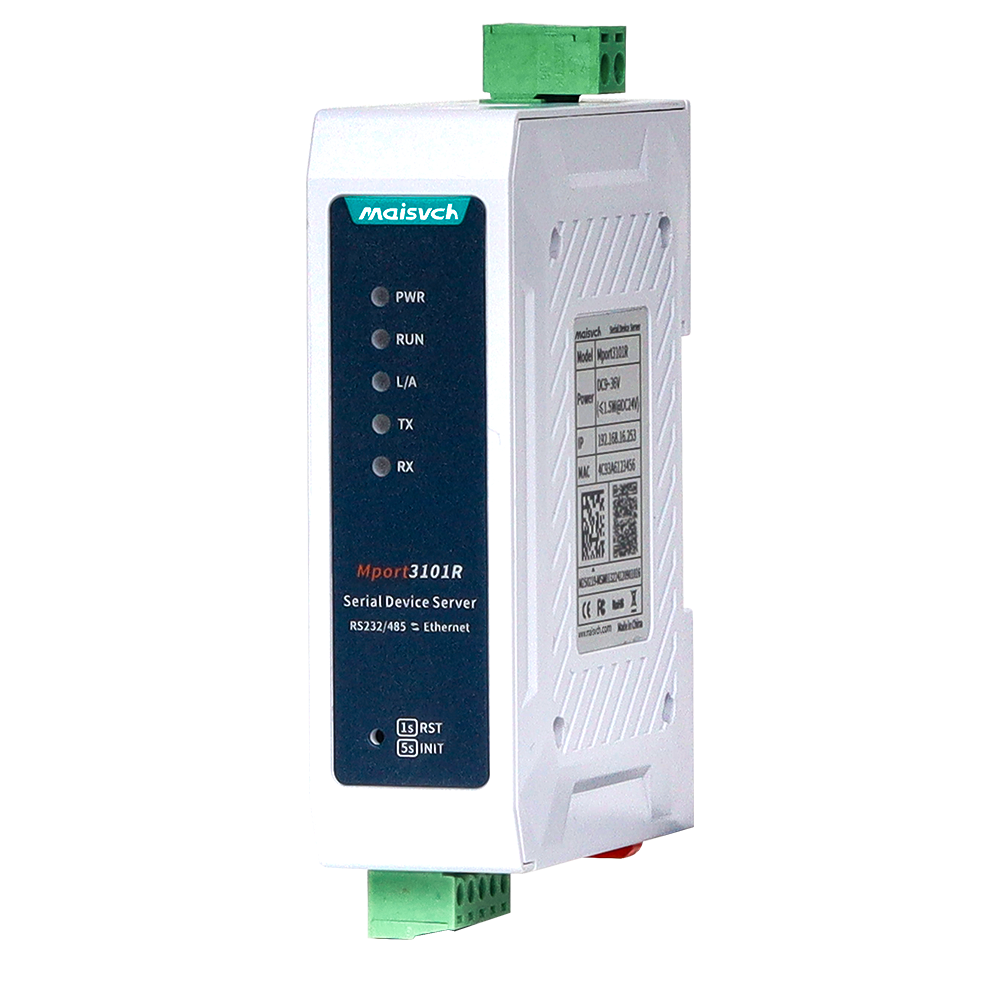
1 porta seriale RS232/485, 1 porta Ethernet in rame da 100 M, server seriale industriale con funzione Modbus
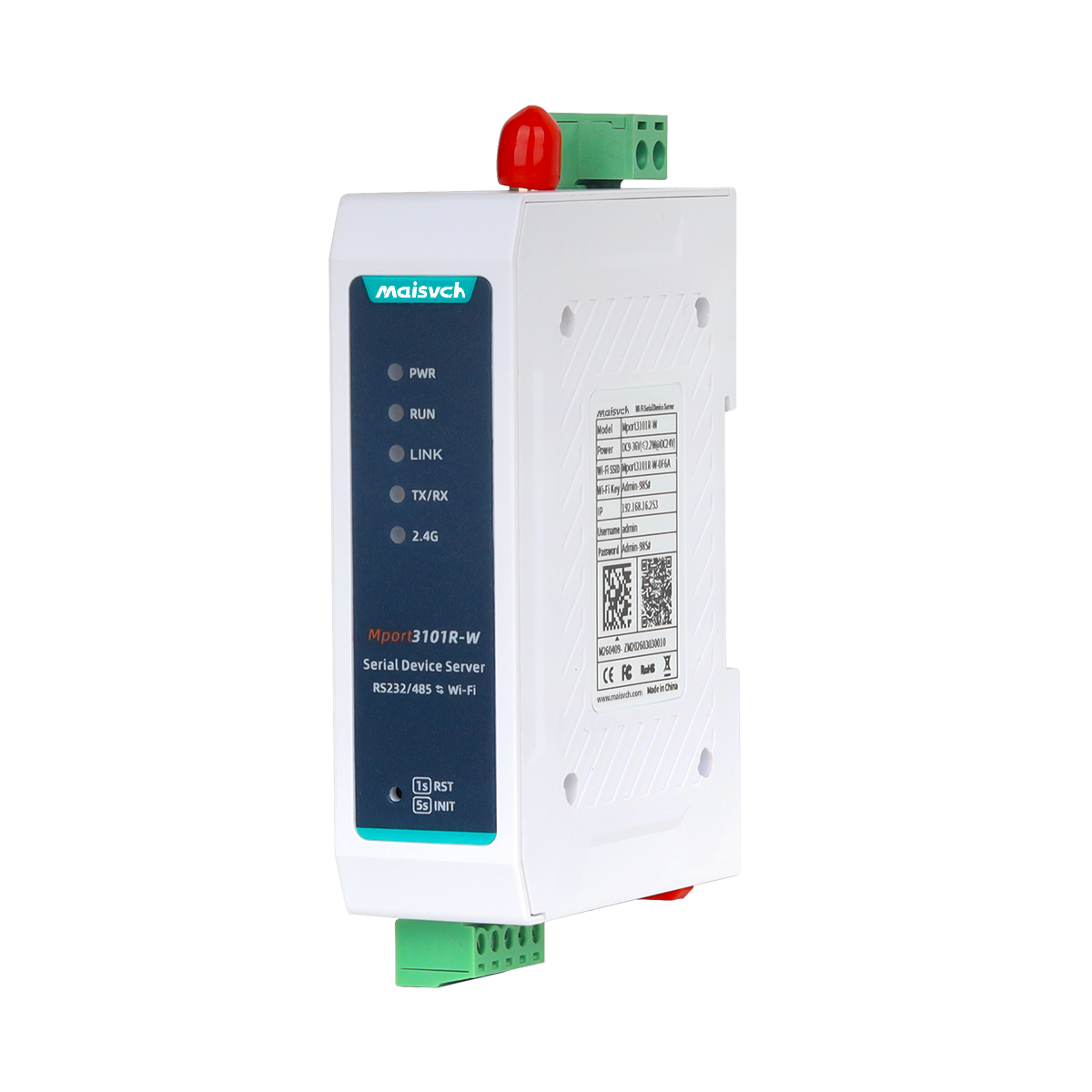
1*10/100 Mbps RJ45 Ethernet port, 1*RS232/485 serial port, industrial serial server
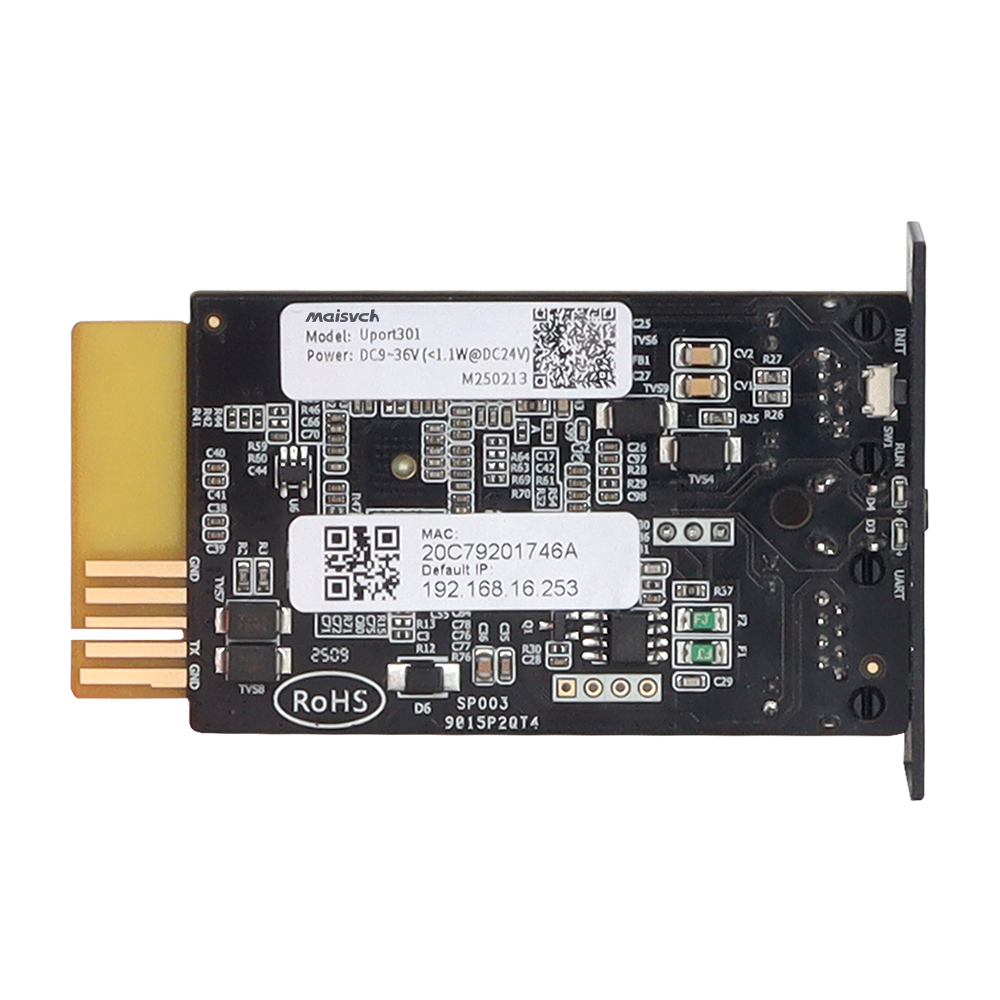
Support 1 × 10/100Mbps Ethernet port,1 × RS232 serial port + 1 × RS485 serial port1 × power output
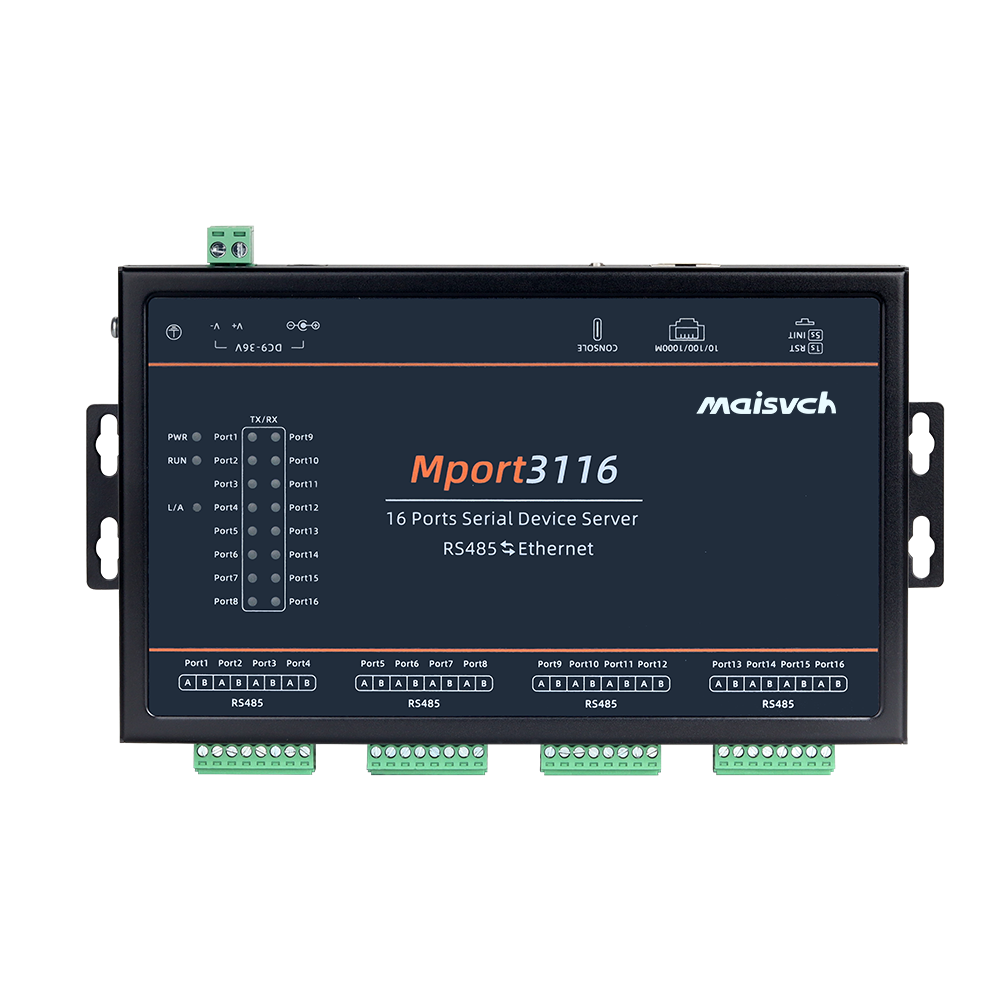
16 porte seriali RS485, 1 porta Gigabit Ethernet, server seriale industriale
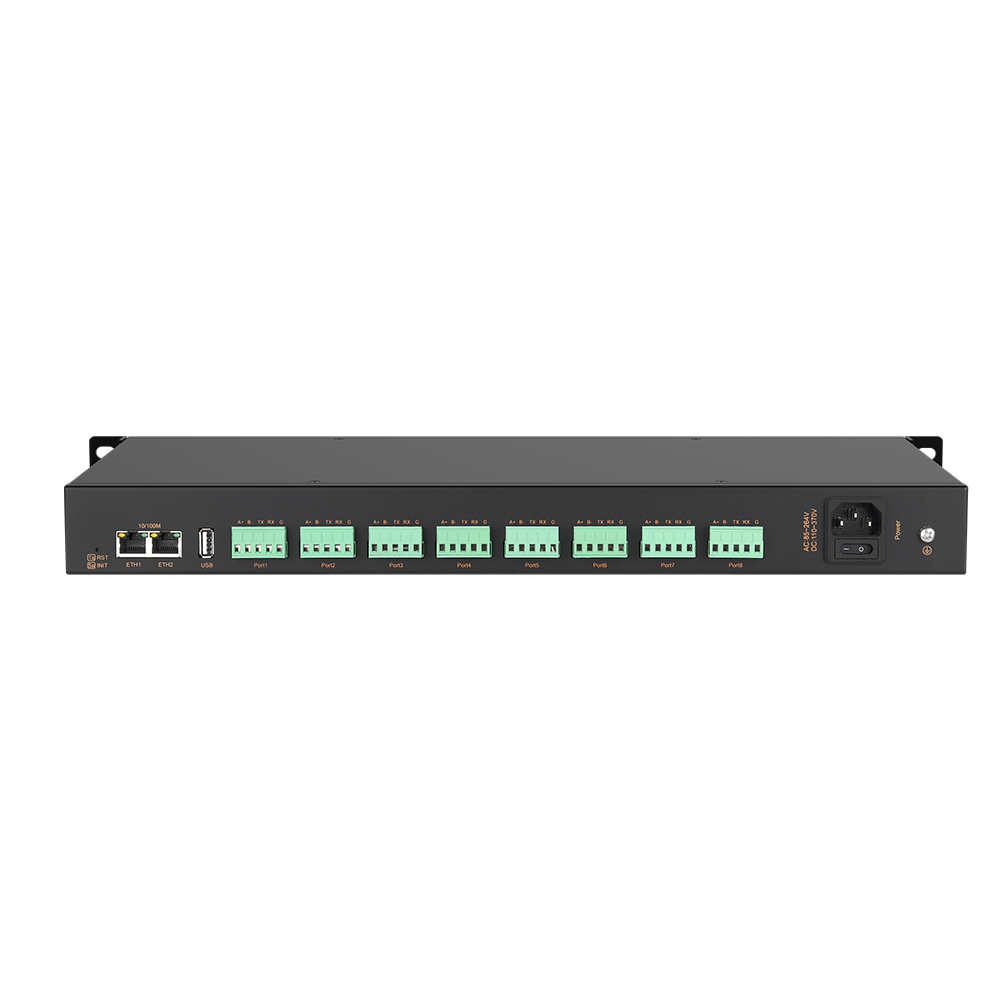
Server seriale montato in rack con 8 porte seriali RS232/485 e 2 porte Ethernet 100M
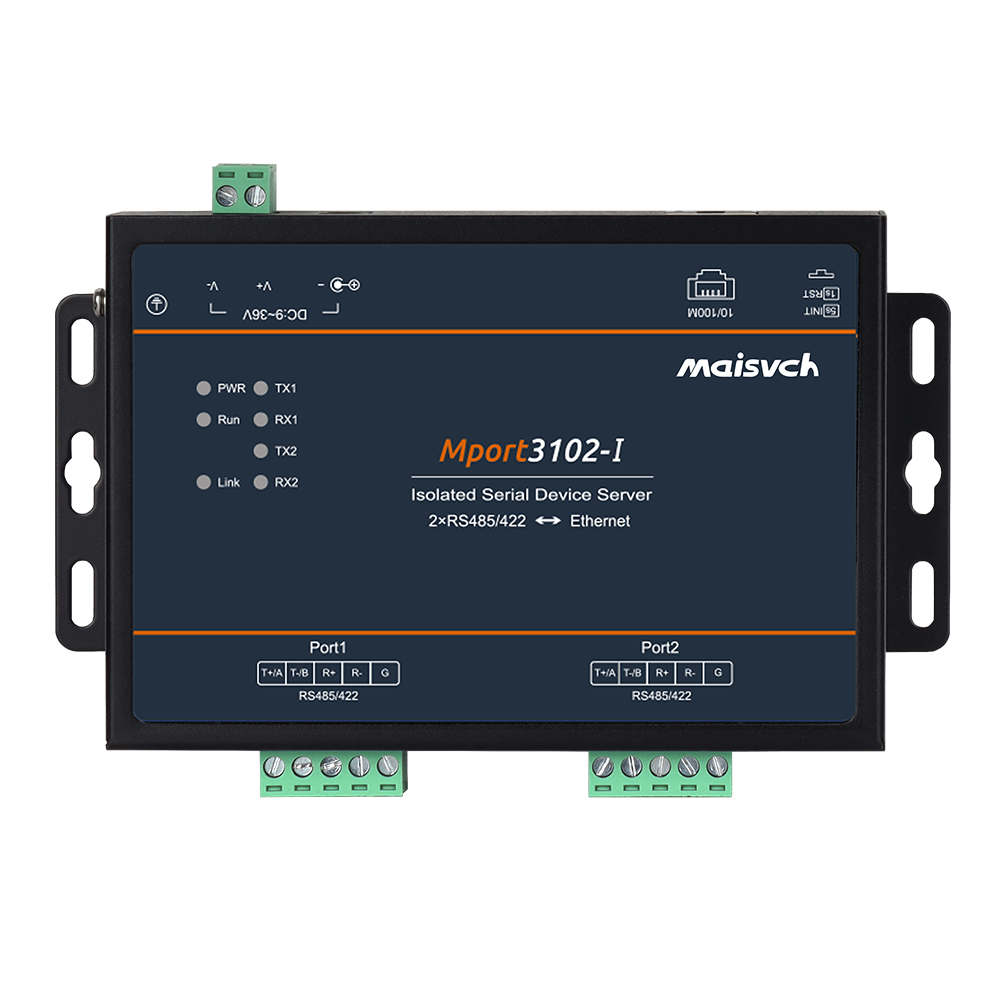
2 porte seriali RS485/422, 1 porta in rame 100M, server seriale a parete con funzioni Modbus

Use this summary to narrow your shortlist by port density, serial interface, network connection and mounting. Open the product page for complete ordering and compatibility information.
| Modello | Serial Side | Network Side | Mounting / Difference | Action |
|---|---|---|---|---|
| Mport3101 | 1 × RS232 / RS485 / RS422 | 1 × 100M Ethernet | Wall-mount compact edge | Scopri di più → |
| Mport3101R | 1 × RS232 / RS485 | 1 × 100M Ethernet | Guida DIN | Scopri di più → |
| Mport3101-W | 1 × RS232 / RS485 / RS422 | 100M Ethernet + 2.4GHz Wi-Fi | Wall-mount wireless option | Scopri di più → |
| Mport3102-I | 2 × isolated RS485 / RS422 | 1 × 100M Ethernet | Wall-mount opto-isolated | Scopri di più → |
| Mport3104 | 4 × RS232 / RS485 | 1 × 100M Ethernet | Montaggio a parete | Scopri di più → |
| Mport3208 | 8 × RS232 / RS485 | 2 × 100M Ethernet | 19-inch 1U rack-mount | Scopri di più → |
| Mport3116 | 16 × RS485 | 1 × Gigabit Ethernet | Wall-mount high-density RS485 | Scopri di più → |
| Mport3232 | 32 × RS232 / RS485 / RS422 | 2 × Gigabit combo | 19-inch 1U rack-mount | Scopri di più → |
These project examples show how Maisvch serial device servers have been used to connect field equipment with Ethernet or wireless networks in energy and smart manufacturing systems.
Mport3101 connects serial data from the PCS and BMS environment to Ethernet for centralized monitoring and system integration.
Mport3101 converts serial data from protection and measurement equipment to Ethernet for aggregation and remote access in the power monitoring system.
Mport3101-W gives serial equipment a wireless network path where fixed cabling is impractical, supporting production equipment access within the smart factory.
Choose a supplier that can support the complete device connection, verify the engineering details and coordinate project delivery—not only provide a serial-to-Ethernet product.

Source industrial serial servers together with industrial remote I/O, industrial CAN servers, industrial interface converters and industrial interface protectors from one communication product portfolio.

Maisvch develops core industrial communication hardware, embedded software and management tools through in-house R&D. Relevant testing and compliance documentation can be reviewed for the selected model and destination market.

Compare compact, DIN-rail, Wi-Fi, isolated and rack-mount Mport options across different serial port densities, including configurations for distributed equipment and centralized multi-port access.

Selected Mport models combine metal enclosures, watchdog design, wide-temperature operation and model-specific isolation or surge-protection features. Confirm the exact environmental and protection scope by model.

Share your interfaces, working mode, network, power and installation conditions. Maisvch engineers can support model review, configuration questions and troubleshooting during project evaluation and deployment.

Coordinate product recommendations, quotations, samples, batch requirements and after-sales support around the project. Confirm availability, lead time and commercial terms for the requested model and quantity.

Maisvch si impegna a fornire soluzioni che rispettano i più elevati standard internazionali, assicurando la sicurezza, l’affidabilità e le prestazioni dei vostri sistemi di comunicazione per l’energia eolica, inclusi i marchi CE / UL / UKCA / EAC / FCC / RoHS, nonché le certificazioni ISO 9001 / 14001 / 45001. Stiamo inoltre lavorando per ottenere la certificazione IEC 62443.
Review the main technical and purchasing questions before you compare Mport models.
An industrial serial device server connects equipment with RS232, RS485 or RS422 interfaces to an Ethernet or IP network. It allows a remote application, SCADA system or host computer to exchange data with serial equipment without replacing the installed device. The exact network modes and industrial specifications depend on the model.
Match the interface used by the connected equipment. RS232 is normally point-to-point, while RS485 is commonly used for differential multi-drop networks. RS422 also uses differential signaling and may support point-to-point or multi-drop arrangements. Check the equipment manual, connector pinout and wiring before choosing a server.
Count the independent serial channels that must operate at the same time, then consider near-term expansion. One- and two-port models suit individual machines or instruments; four- and eight-port models consolidate a local equipment group; sixteen- and thirty-two-port models support higher-density collection. Port count alone does not confirm interface or software compatibility.
Use Virtual COM when the host software expects a local COM port and a supported driver or utility can map the remote serial port to that workflow. Use TCP or UDP when the application can communicate directly with the serial server over the network. Confirm the supported tools, operating system and working modes for the selected model.
An isolated model can help separate RS485 or RS422 signal lines from the device electronics in installations with potential differences, electrical noise or sensitive field wiring. Isolation is not a substitute for correct grounding, surge protection or system design. Confirm the isolation specification and wiring requirements on the exact model.
These names often overlap in remote-access projects. An RS232 serial server may also be described as an RS232 serial to Ethernet converter, RS232 to Ethernet server, RS232 to TCP/IP converter or RS232 to IP converter. An RS485 serial port server, RS485 to Ethernet converter, RS485 to TCP/IP converter and RS485 IP converter can describe a similar network connection for RS485 equipment; RS422 to Ethernet converter, serial to IP converter and serial to TCP/IP converter are also common search terms. Confirm whether you need transparent TCP/UDP transport, Virtual COM, pair connection or protocol conversion before choosing a product.
A serial device server primarily carries serial data across an IP network. Some Mport models also support Modbus RTU/ASCII transport or conversion to Modbus TCP. If you specifically need an RS485 to Modbus TCP/IP converter, confirm whether the selected serial server supports the required conversion. A dedicated Modbus gateway is more appropriate when the project requires specialized protocol mapping, routing, polling or gateway logic. Define the data path before selecting the product category.
Send the serial interface, number of ports, connector or wiring, baud rate, preferred network mode, Ethernet or Wi-Fi requirement, installation method, power source, operating environment, quantity and target schedule. Include the host-software requirement and any required compliance documents when available.
Condividere la configurazione delle porte richiesta, la velocità, la potenza, l’installazione e l’applicazione. Maisvch potrà individuare opzioni idonee per ulteriori approfondimenti tecnici.