An industrial and a commercial PoE switch may forward the same Ethernet frames and support the same IEEE PoE standard. Your real decision starts when you place that switch inside a control cabinet with trapped heat, DC power, electrical noise, grounding constraints, vibration, limited mounting space and costly failure recovery. Choose from those conditions—not from the word “industrial” alone.
Your commercial PoE switch works perfectly on the commissioning bench. Eight cameras come online. Video reaches the recorder. Your total PoE load is below the nameplate budget.
Then the cabinet door closes.
You now mount the switch beside a variable-frequency drive and a DC power supply. Air movement is limited. Summer cabinet temperature is higher than the room temperature you recorded during commissioning. Your maintenance team expects a dry-contact alarm, but the switch has none. Its AC adapter cannot be secured to the DIN rail, and a power interruption requires your team to make a site visit.
Nothing about the Ethernet packet changed. The installation did.
That is the useful way for you to compare an industrial PoE switch vs commercial PoE switch: not as two product labels, but as two different assumptions about where your equipment will operate and how you will detect and recover from a failure.
If you are searching industrial PoE switch vs normal PoE switch, your underlying question is usually the same: will an office-oriented unit remain inside its documented limits after you power, mount and enclose it with the rest of your control system?
For the wider comparison without the PoE and cabinet focus, see industrial switch vs normal switch. This article goes narrower: it follows the power and network path inside a real control cabinet.
Industrial PoE Switch vs Commercial PoE Switch: What Changes After the Cabinet Door Closes?
A switch does not become suitable for your control cabinet simply because it has a metal enclosure or a DIN-rail clip. Your selected model has to remain within specification across the full cabinet operating envelope.
| Question | Commercial PoE switch assumption | Industrial PoE switch design option |
|---|---|---|
| Temperature | Controlled office, network closet or equipment room | Wider and model-specific operating range for unconditioned locations |
| Power input | Single AC inlet or external desktop adapter | Terminal-block DC input; dual inputs and reverse-polarity protection may be available |
| Mounting | Desktop, shelf or 19-inch rack | 35 mm DIN rail, wall, panel, rack or M12 formats depending on model |
| Cooling | May use fans or depend on room airflow | Fanless metal housing and conduction/convection are common |
| Electrical environment | Normal commercial EMC conditions | Model-specific immunity for ESD, EFT and surge in industrial locations |
| Mechanical environment | Stationary indoor installation | Model-specific vibration and shock qualification |
| Fault visibility | Web interface, LEDs or cloud alert | Relay alarm, dual-power alarm and local industrial network diagnostics may be available |
| Recovery | Standard STP/RSTP or manual intervention | Industrial ring protocols and fast recovery may be available on managed models |
These are tendencies, not guarantees. Some commercial switches have redundant power supplies and strong management. Some low-cost “industrial” switches have only a wider temperature label and a DIN clip. The exact order code, datasheet revision and test evidence decide the result.
Cisco’s current industrial-switch guidance illustrates the model-specific approach: its DIN-rail families are described as fanless, designed for −40°C to +75°C operation and qualified for industrial shock and vibration, while features such as conformal coating and high-power PoE vary by model. Moxa’s industrial PoE documentation similarly separates standard and wide-temperature variants rather than treating every unit as identical.

8 Control Cabinet Differences Between Industrial and Commercial PoE Switches
1. Check the Actual Control Cabinet Temperature
“Ambient temperature” means the air surrounding your installed switch. Do not substitute the outdoor forecast, your air-conditioned control-room setpoint or a temperature you measured before the cabinet was energized.
Heat inside the enclosure can come from:
- variable-frequency drives, PLC power supplies and contactors;
- the switch electronics and PoE conversion losses;
- a PoE power supply installed in the same cabinet;
- solar loading on an outdoor enclosure;
- adjacent DIN-rail devices;
- restricted natural convection and blocked spacing;
- clogged filters or a failed cabinet fan.
Most PoE power leaves the cabinet and is consumed by the cameras or access points. It is therefore wrong to treat the entire PoE budget as cabinet heat. However, the switch and its upstream power supply still dissipate conversion losses, and those losses rise with load.
Phoenix Contact’s enclosure thermal-management guide identifies elevated power density, insufficient ventilation, neighbouring modules and control-cabinet conditions as thermal-design inputs. Its practical point applies directly here: cabinet layout and heat removal have to be considered before the hardware reaches its limit.
Before you request quotes, record three temperatures:
- minimum temperature at cold start;
- maximum air temperature at the proposed switch position;
- maximum temperature with the enclosure closed and every expected heat source operating.
Then check whether your selected switch and power supply can deliver the required PoE load across that complete range. A wide switch operating-temperature rating does not automatically prove that you receive full PoE output at every temperature.
2. Match the PoE Switch to Your Cabinet DC Power
Your control system may distribute 24 VDC, but standard PoE delivery to cameras and APs commonly requires a higher internal PSE voltage. Your industrial switch may therefore use one of three architectures:
- direct input within a specified higher DC range;
- a wide-input design with an internal boost stage and an input-dependent PoE budget;
- a separate cabinet power supply that converts the available AC or DC source to the switch’s required input.
The words “12–48 VDC input” do not prove that the maximum PoE budget is available at 12 V or 24 V. Lower input voltage requires higher current for the same output power and may trigger a lower supported budget.
Your cabinet drawing should therefore show the complete path:
Branch protection → upstream DC supply → switch input terminals → PSE ports → cable loss → powered devices
For each part, verify voltage range, continuous current, startup behaviour, temperature derating, conductor size, terminal rating and protective device. Complete your device-level PoE budget calculation separately; this comparison focuses on whether your cabinet can supply and protect that budget.
3. Plan DIN-Rail PoE Switch Mounting and Service Access
You can sometimes fix a commercial desktop switch to a panel with a third-party bracket. That does not make its cable routing, power adapter or ventilation suitable for your cabinet.
Your cabinet-ready layout should allow a technician to:
- remove the switch without disturbing neighbouring PLC wiring;
- see power, link and PoE status LEDs with the door open;
- replace an SFP without an impossible bend radius;
- reach the terminal block and grounding point safely;
- preserve the manufacturer’s vertical orientation and clearances;
- trace every port from the cabinet drawing and cable label.
DIN-rail mounting is useful because it integrates with the mechanical system you already use for terminal blocks, relays and industrial power supplies. The real advantage for you is repeatable installation and replacement—not the rail clip itself.
4. Verify EMC, Grounding and Fiber Boundaries
Your enclosure does not automatically solve electromagnetic compatibility. Interference can enter your switch through power conductors, copper Ethernet cables, shield connections and shared grounding paths.
Your comparison should consider:
- proximity to VFD motor leads and contactor wiring;
- separation between communication and power cable routes;
- shield termination and cabinet bonding strategy;
- surge exposure on cables leaving the building or cabinet;
- ESD during maintenance;
- EFT and conducted disturbances on the DC supply;
- whether fiber should be used to cross an electrically noisy or ground-potential boundary.
Do not approve a switch from a generic “industrial EMC” claim. Request the actual standards, test levels, port conditions and model covered by the report. A higher test level on one port does not establish the same immunity on every interface.
5. Design the Cooling Path for a Fanless Industrial PoE Switch
When you remove a fan, you eliminate a moving part and avoid pulling dust through the switch. You do not eliminate heat.
Fanless industrial switches commonly transfer heat through the housing and into the surrounding air. You still need the specified mounting orientation and clearance. A warm enclosure surface can be normal; it can also heat a neighbouring component if your cabinet layout leaves no separation.
Cisco explicitly notes that its DIN-rail switches dissipate heat through the chassis and fins and can feel hot while operating normally. This is a useful reminder that “fanless” is a cabinet design input, not a promise of zero heat.
6. Validate Redundant PoE Switch Power Inputs
Two power terminals are not the same as a redundant power system.
If you connect both switch inputs to the same power supply, breaker and upstream AC feed, your design still has common failure points. To claim meaningful redundancy, identify:
- the two independent sources or distribution branches;
- how each source is protected;
- whether either source can carry the required switch and PoE load alone;
- how switchover behaves under full load;
- which failure produces a local alarm or remote notification.
Your failure-state PoE budget matters. Your switch may remain online after one source fails but shed powered devices if the surviving source cannot carry the full load.
7. Wire the Industrial PoE Switch Alarm Relay
Commercial switches often rely on software alerts or front-panel LEDs. An industrial model may give you a relay output for power failure, port failure or other configured alarms.
That relay helps you only when you wire it into the cabinet monitoring system. Your electrical drawing should define:
- normal and alarm contact state;
- relay rating and external circuit voltage;
- which switch events activate it;
- PLC or remote-I/O destination;
- alarm delay, acknowledgement and reset behaviour;
- response after loss of all switch power.
An unwired alarm terminal provides no operational benefit. A web alarm that cannot reach the monitoring system after the uplink fails has the same limitation.
8. Compare Industrial and Commercial PoE Switch Lifecycle Cost
You can see the purchase-price gap on a quote. The cost of a cabinet visit is often hidden.
For your warehouse aisle, roadside cabinet or production line, compare:
Installed cost + expected failure exposure + fault-location time + travel/access time + production or service impact + replacement and recommissioning time
A managed industrial switch can reduce recovery time when the design uses ring redundancy, configuration backup, port diagnostics, SNMP traps, syslog or remote PoE port control. These features are not universal and should be matched to an operating procedure.
An unmanaged industrial switch can still be the right choice when the network is simple and environmental hardening matters more than software. “Industrial” and “managed” answer different questions.

What an Industrial PoE Switch Does Not Change
Industrial hardware does not suspend the Ethernet or PoE engineering limits in your design.
You Still Need the Correct IEEE PoE Standard
An industrial switch labelled PoE+ cannot power every high-load device you connect. Match 802.3af, 802.3at or 802.3bt, the per-port limit and your total budget. Use PoE vs PoE+ vs PoE++ for the standard and power-class comparison.
Your Copper Ethernet Channel Does Not Become Longer
For conventional balanced copper Ethernet, 100 m remains the common maximum channel design. Your cable category, conductor size, connectors, temperature, bundling and PD power requirement can reduce the practical margin. Use fiber to cross longer distances or electrical boundaries, then place PoE near the endpoint.
Ethernet Alliance guidance on PoE cabling emphasizes that conductor gauge, temperature rating and bundle conditions belong in a powered-cabling design. A rugged switch cannot compensate for an unsuitable cable bundle.
You Still Need to Calculate the PoE Budget
Eight 30 W ports do not prove that you have a 240 W simultaneous budget. Check the exact variant, input voltage, power supply and high-temperature conditions.
A DIN-Rail Metal Housing Is Not Automatically Weatherproof
An IP30 or IP40 switch depends on your enclosing control cabinet for environmental protection. Do not treat it as an outdoor switch simply because it operates across a wide temperature range.
Industrial Hardware Is Not Automatically Secure
Your cybersecurity depends on management features, configuration, access control, firmware maintenance, network architecture and operating practice. A rugged enclosure does not replace those controls.
When Can You Use a Commercial PoE Switch in a Control Cabinet?
When you compare an industrial vs commercial PoE switch, do not assume that the industrial option is always necessary.
A commercial PoE switch can be reasonable when all of the following are true:
- the cabinet or room maintains temperature and humidity inside the product’s published limits;
- vibration, shock, dust, corrosive exposure and industrial EMC stress are not material;
- the supplied AC input or approved adapter can be mounted, protected and serviced correctly;
- loss of the switch does not create unacceptable safety, production or access consequences;
- the required PoE standard, per-port power and total budget are documented;
- monitoring and recovery expectations are met without an alarm relay or industrial ring protocol;
- the installed arrangement complies with the equipment instructions and project requirements.
Examples may include a climate-controlled building-automation cabinet, a laboratory skid or a noncritical indoor monitoring system. Even then, “it worked on the bench” is not evidence that the closed-cabinet temperature and power arrangement are acceptable.
Use an industrial PoE switch when one or more cabinet conditions exceed the commercial product’s documented envelope, or when the cost of failure justifies stronger power, environmental and diagnostic provisions.

Industrial vs Commercial PoE Switch Example: Eight Cameras in One Cabinet
Suppose you are designing a packaging-line cabinet—not reviewing a claimed customer installation—with the following requirements:
- eight Gigabit PoE cameras;
- each camera requires up to 18 W in its worst operating mode;
- two fiber uplinks, with one path reserved for a ring;
- 24 VDC already available for PLC and I/O circuits;
- measured cabinet temperature from −10°C cold start to +58°C at full production;
- a VFD mounted in the same enclosure section;
- the PLC must receive an alarm after loss of one switch supply or the primary uplink;
- maintenance access requires DIN-rail replacement from the cabinet front.
Your camera load is 144 W at the PDs before you consider cable loss and source-side allocation. A commercial eight-port PoE+ switch may satisfy your data rate and even the nominal PoE budget, but your cabinet review exposes additional questions.
| Cabinet requirement | Commercial switch candidate | Industrial switch candidate | Decision consequence |
|---|---|---|---|
| +58°C measured at mounting point | Rated only to +40°C | Exact model rated above +58°C | Commercial candidate fails the documented temperature requirement |
| Existing 24 VDC bus | Uses external AC adapter | Requires 48–52 VDC terminal input | Both designs need an approved power architecture; neither can be assumed to run directly from 24 VDC |
| Two fiber uplinks | No SFP ports | Two SFP ports | Industrial candidate supports the planned fiber boundary and ring layout |
| Power-source failure alarm | Software only | Relay output and managed alarm functions | Wire the relay to the PLC and define alarm logic |
| Mounting | Shelf or third-party bracket | 35 mm DIN rail | Industrial candidate fits the replacement and wiring plan |
| VFD proximity | EMC evidence not provided | Exact ESD/EFT/surge levels documented | Confirm test applicability and cable/grounding layout |
| Recovery | Single uplink | Ring protocol available | Validate the protocol, topology and measured recovery requirement |
You do not select the industrial product because “factory equipment should look industrial.” You select it because the commercial candidate fails your measured temperature requirement and does not satisfy your fiber, alarm, mounting and recovery design.
The example also shows you an important limit: choosing an industrial switch does not remove your need for the correct DC power supply. If your selected PoE switch requires 48–52 VDC, your cabinet must include a suitable source even though a 24 VDC control bus already exists.
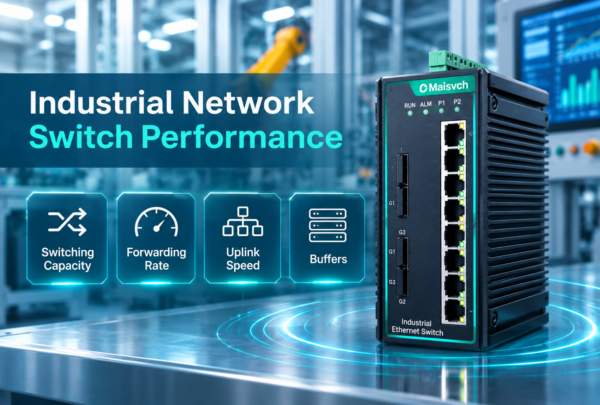
Maisvch Industrial PoE Switch Example: MISCOM7210GP
If your cabinet needs eight Gigabit PoE ports and dual fiber uplinks, you can use the managed DIN-rail industrial PoE switch MISCOM7210GP-2GF-8GTPoE as one model-specific candidate. Its current public product information lists:
- eight 10/100/1000Base-T PoE ports and two Gigabit SFP ports;
- IEEE 802.3af/at support, up to 30 W per PoE port and up to 240 W total PoE output;
- dual 48–52 VDC inputs with reverse-polarity protection;
- one relay alarm output;
- 35 mm DIN-rail installation;
- fanless aluminium-alloy housing with IP40 rating;
- −40°C to +75°C operating-temperature range;
- MW-Ring, ERPS and STP/RSTP redundancy options;
- published IEC 61000-4-2 ESD Level 3, IEC 61000-4-5 surge Level 3 and IEC 61000-4-4 EFT Level 4 entries.
Those specifications make it a candidate, not an automatic approval. You still have to confirm the current datasheet revision, required SFPs, powered-device compatibility, source capacity, temperature conditions, enclosure protection, grounding and project-specific approvals.
The wider industrial PoE switches range includes managed and unmanaged, DIN-rail, rack-mount, embedded and M12 options. Use the category to build your shortlist only after you document the cabinet requirements.

How to Specify an Industrial PoE Switch for Your Control Cabinet
“Please quote an eight-port industrial PoE switch” is not enough for a reliable selection.
Send your manufacturer a one-page cabinet and endpoint schedule containing:
- exact camera, AP, sensor or controller models;
- required IEEE PoE standard and worst-case device input power;
- number of devices that must run simultaneously;
- available cabinet AC/DC sources and minimum/maximum voltage;
- required behaviour after loss of one power source;
- measured minimum and maximum temperature at the switch position;
- enclosure rating, condensation risk and contamination exposure;
- nearby drives, contactors, outdoor copper runs and grounding arrangement;
- copper and fiber port counts, speeds, SFP type and maximum distance;
- DIN-rail space, mounting orientation and required clearances;
- required ring protocol, convergence time and alarm events;
- required certifications, test reports and documentation language;
- forecast port growth and replacement-stock expectations.
For an OEM or repeat project, add the hardware and firmware revision-control requirement, label and packaging changes, configuration preload, sample-validation conditions and expected annual quantity. These details turn “customization” into a testable delivery scope rather than a vague supplier claim.
Industrial PoE Switch vs Normal PoE Switch FAQs
What Is the Main Industrial vs Commercial PoE Switch Difference?
Both may use the same Ethernet and IEEE PoE standards. Your main comparison is the documented operating envelope and integration options: temperature, power input, mounting, EMC, vibration, alarms, redundancy and serviceability. Exact capabilities remain model-specific.
Can You Use a Normal PoE Switch in a Control Cabinet?
Yes, if your closed-cabinet environment, power arrangement, mounting, EMC exposure, PoE load and recovery requirement all remain within the commercial switch’s documented specifications. If any required condition is outside or undocumented, choose a product designed and tested for that condition.
Does a Metal Case Make Your PoE Switch Industrial?
No. Metal can improve mechanical protection and heat transfer, but it does not prove a wide operating-temperature range, industrial EMC immunity, vibration qualification, redundant DC input or alarm capability.
Does DIN-Rail Mounting Make a Switch Industrial?
No. DIN-rail mounting solves a mechanical integration problem. Environmental ratings, power design, EMC performance and network features still require separate verification.
Is an Industrial PoE Switch Always Fanless?
Many compact DIN-rail industrial switches are fanless, but this is not universal. Verify your exact model. A fanless switch still needs the specified orientation, spacing and cabinet thermal design.
Can Your 24 VDC Control Supply Power an Industrial PoE Switch?
Only when your exact switch supports that input and provides the required PoE budget at 24 VDC. Some models require approximately 48 VDC for PoE operation or provide a lower budget from lower input voltages.
Do Dual Power Inputs Guarantee Uninterrupted PoE?
No. You must connect the inputs to suitable independent sources, and your surviving source must carry the complete required switch and PoE load. Verify switchover and alarm behaviour under your intended failure state.
Is an Industrial PoE Switch Weatherproof?
Not necessarily. You normally install DIN-rail models with IP30 or IP40 housings inside a suitable enclosure. Your outdoor or washdown location may require an IP66/IP67 model or a correctly designed external cabinet.
Does an Industrial PoE Switch Provide Longer Ethernet Distance?
Not by default. Standard copper Ethernet channel limits still apply. Use fiber uplinks or a verified extension architecture for longer routes.
When Is the Higher Industrial PoE Switch Price Justified?
Choose the higher-priced option when your commercial alternative cannot meet a documented environmental or integration requirement, or when your expected cost of downtime, site access, diagnosis and recommissioning exceeds the upfront saving.
Industrial or Commercial PoE Switch: Make the Final Decision
Choose a commercial PoE switch when your genuinely controlled, noncritical installation stays inside its published limits. Choose an industrial PoE switch when your control cabinet imposes temperature, DC power, EMC, mechanical, monitoring or recovery requirements that the commercial product cannot document.
Before you request a model, measure your cabinet, define the failure state and list every powered device. That evidence gives you a defensible selection—and gives the manufacturer enough information to confirm your exact switch, power supply, SFPs and configuration.